


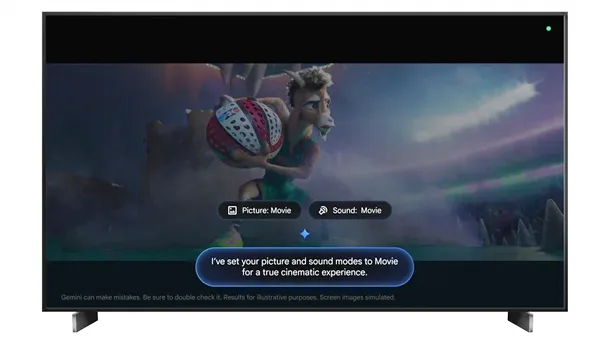
Google TV is making it easier than ever to fine-tune your viewing experience by bringing Gemini-powered voice controls directly into picture and sound settings.
The latest feature allows users to adjust TV settings using natural language commands instead of navigating through menus manually. Whether it’s increasing brightness, changing contrast levels, switching picture modes, adjusting volume, or modifying audio equalizer settings, Gemini can handle it through simple voice requests.
Users can issue direct commands such as asking the TV to switch to a sports viewing mode or raise the volume. Gemini can also respond to more general feedback. For example, if the picture appears too dark, users can simply mention the issue and the AI will attempt to optimize the display automatically. Similarly, if dialogue sounds unclear, Gemini can enhance voice clarity to improve the listening experience.
The AI assistant is also designed to help create the ideal entertainment atmosphere. For movie nights, users can ask Gemini to optimize settings for a more cinematic presentation. Those who prefer making adjustments themselves can use voice commands to instantly open specific settings menus, reducing the time spent searching through options.
Because picture and sound features differ between TV models, the available adjustments may vary depending on the device. Users are encouraged to familiarize themselves with their TV’s capabilities to get the most out of the new functionality.
At launch, the feature is available on select TCL Google TV models in the United States, including the QM9K, X11L, QM9L, QM8L, and RM9L series. A software update is required to activate the new Gemini-powered controls. There is currently no confirmation regarding expansion to additional TV brands or models.
The update is part of Google’s broader effort to integrate Gemini more deeply into the television experience. Recent enhancements have introduced richer visual responses, allowing viewers to receive detailed on-screen information for queries such as live sports scores and viewing options. New sports-focused summaries and interactive topic explorations have also been added, further expanding the role of AI as a companion for entertainment and information on Google TV.

